Adding a reservation manually
Reservations received outside sales channels and the booking engine.

In the Calendar, select the nights of the stay in the unit's row and choose Reservation.
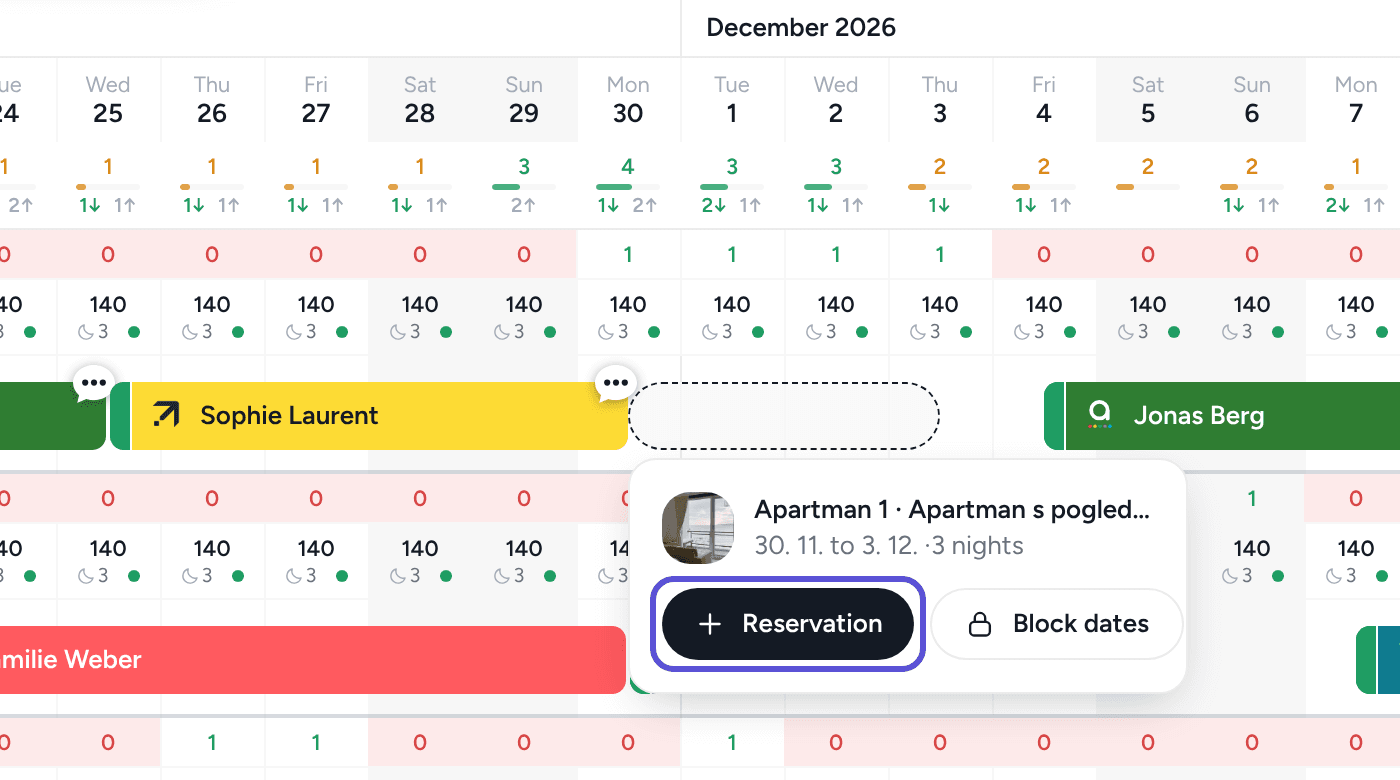
The form is also available from Reservation in the top right corner of the calendar.
Under Selection, confirm the unit and period and set the Channel. Direct reservations remain under Direct.
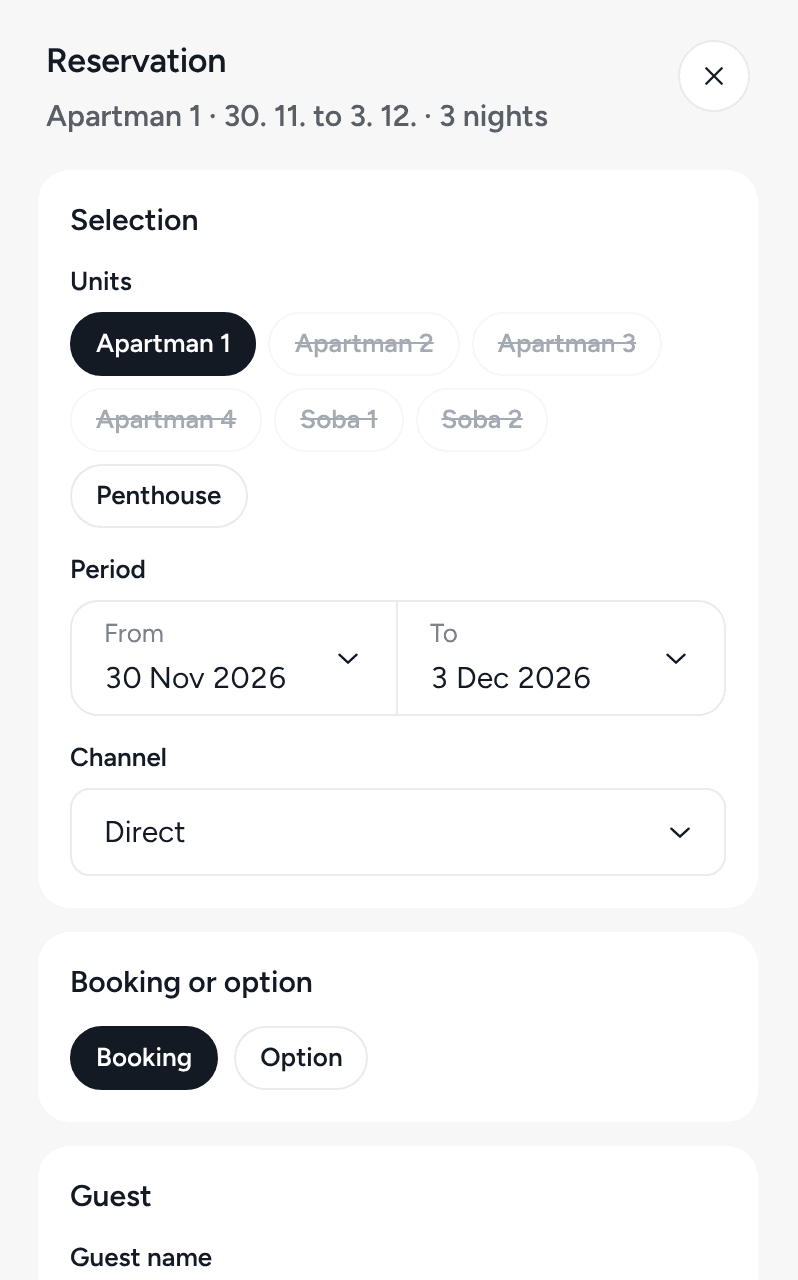
Choose Booking or Option. An option holds the dates until the deadline you set and is then confirmed or released.
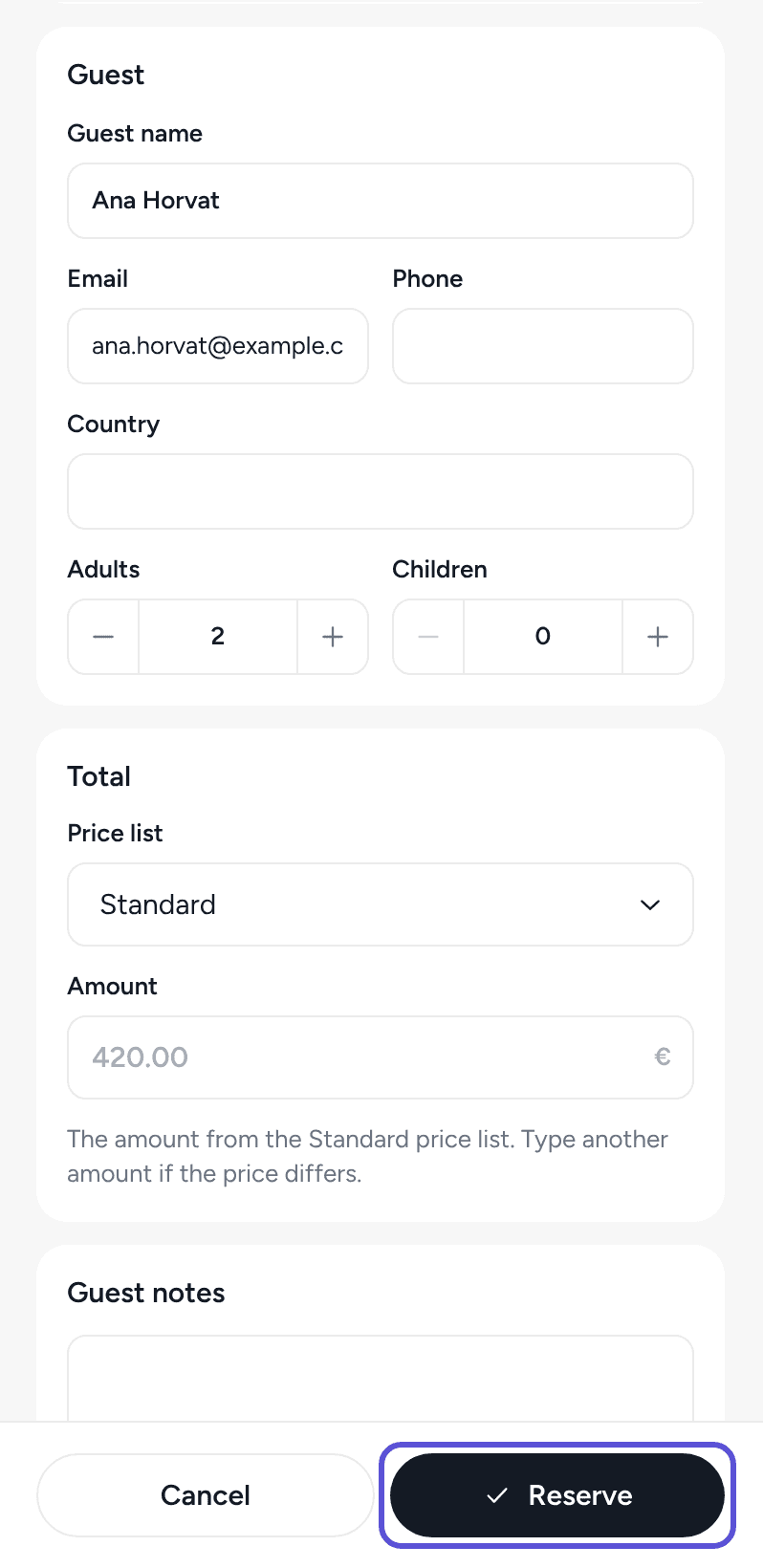
Enter the guest details. The name is required.
Select the Rate plan. The Amount is calculated from it and can be overridden. Save with Reserve.
Sales rules. A stay outside the sales rules, such as the minimum stay, is flagged with a warning and can still be saved.
Did this article help you?
65 users found this article helpful